
AI가 UI를 말하는 언어
Wireweave는 와이어프레임을 설명하기 위한 오픈소스 DSL입니다. AI 어시스턴트(Claude, GPT)가 MCP 서버를 통해 와이어프레임을 즉시 생성하고 렌더링할 수 있습니다.
page "Login" centered { card p=6 w=320 { col gap=4 { title "Sign In" level=2 input "Email" type=email input "Password" type=password button "Sign In" primary w=full } }}직접 해보세요
Wireweave DSL 코드를 작성하고 결과를 즉시 확인하세요
Wireweave를 사용하는 두 가지 방법
워크플로우에 맞는 방법을 선택하세요
Self-Hosted
로컬에서 오픈소스 코어 라이브러리 사용
npm install @wireweave/core- 무제한 로컬 사용, 완전 무료
- VSCode 확장으로 즉시 미리보기
- 직접 도구에 통합 가능 (MIT 라이선스)
- 워크플로우 완전 제어
MCP / API
AI 어시스턴트를 Wireweave에 연결
- AI 어시스턴트에 MCP 연결
- Claude, GPT가 Wireweave 도구 호출
- 클라우드 저장, 버전 관리, 공유
- 월 1,000 크레딧 무료
빠른 프로토타이핑을 위한 모든 것
Wireweave는 DSL의 단순함과 AI의 강력함을 결합하여 와이어프레임 작성을 쉽게 만듭니다.
간단한 DSL 문법
AI 어시스턴트가 자연스럽게 생성할 수 있는 읽기 쉬운 문법.
HTML 렌더링
CSS가 포함된 HTML로 내보내기. AST를 사용한 커스텀 통합 가능.
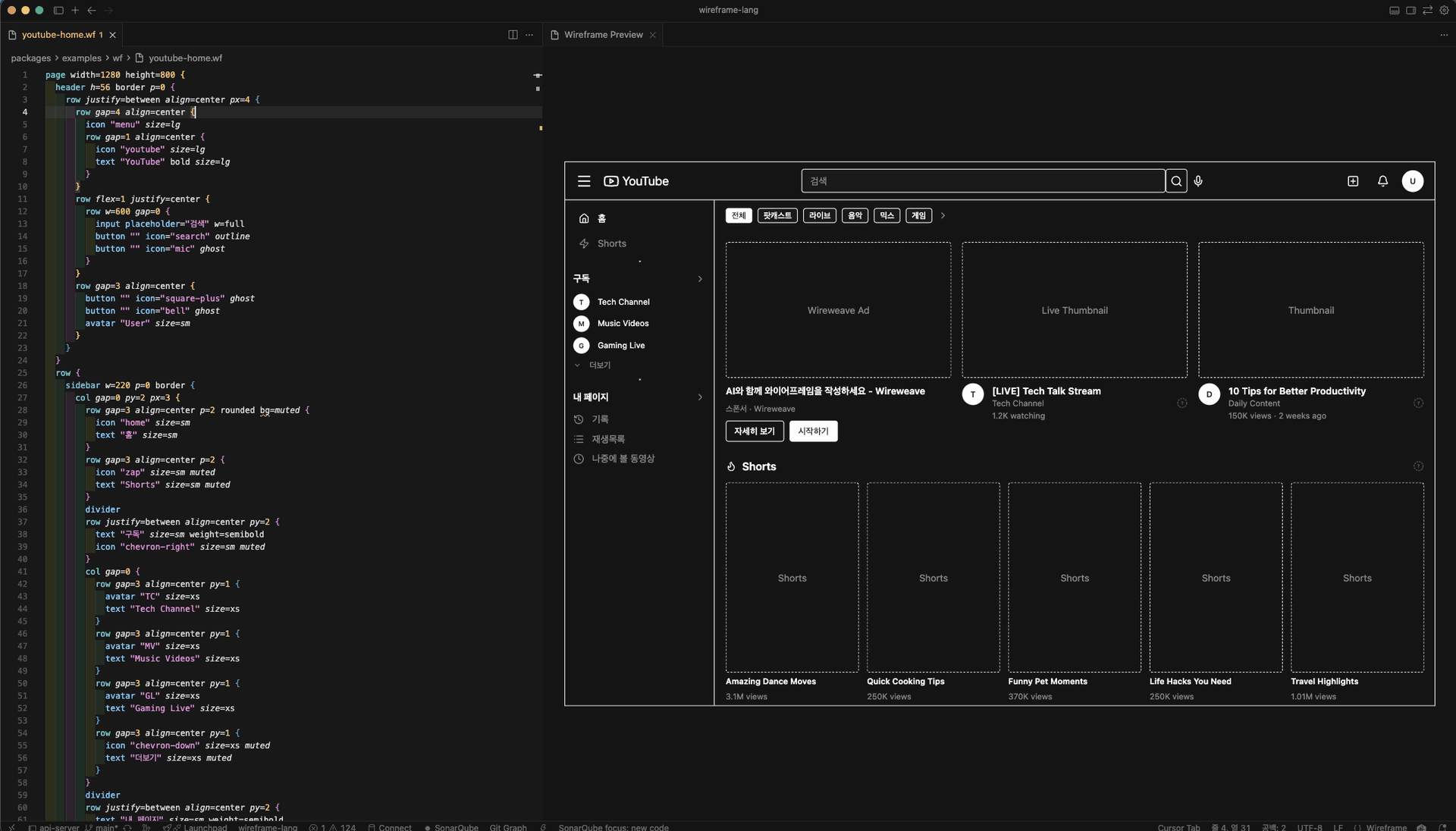
VSCode / Cursor 확장
타이핑하면서 실시간 미리보기. 문법 하이라이팅과 자동 완성.
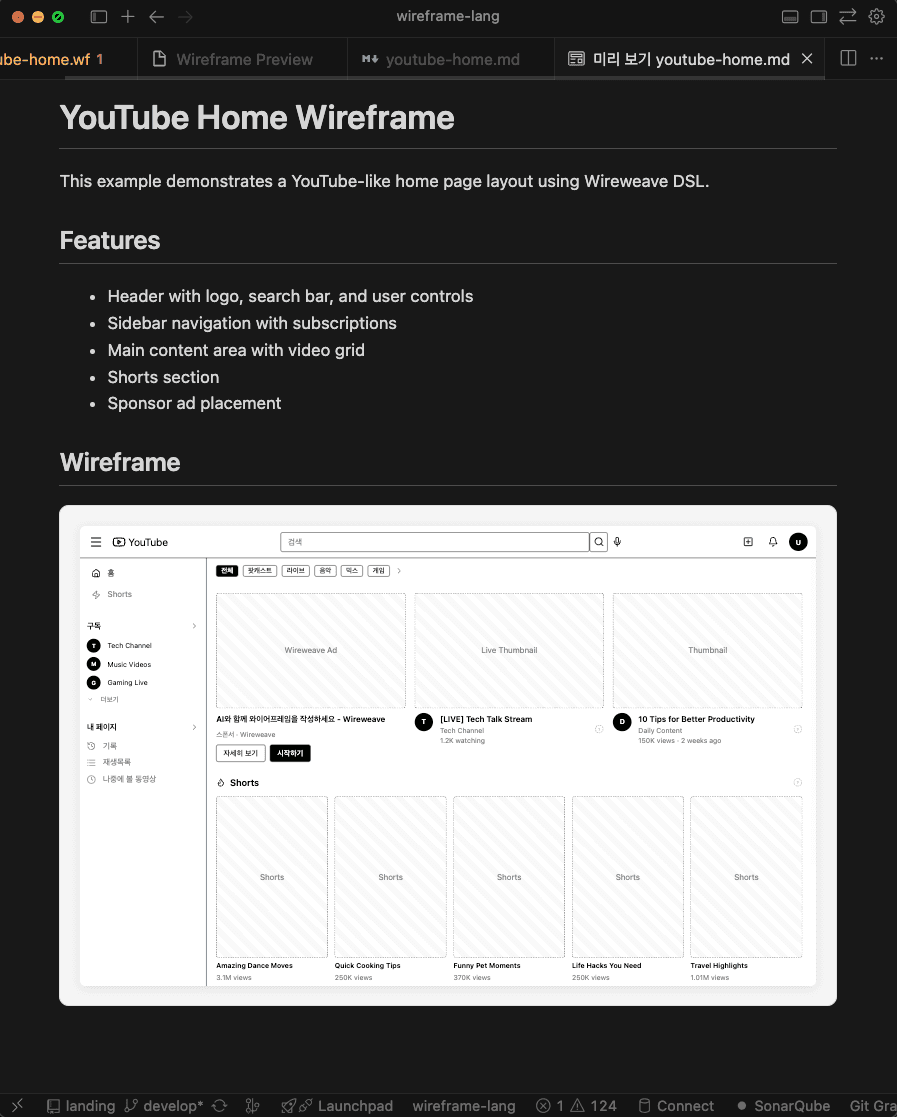
마크다운 통합
코드 블록으로 문서에 와이어프레임을 삽입.
라이트 & 다크 테마
다양한 환경에 맞는 라이트/다크 테마 기본 제공.
Parse
Parse Wireweave DSL source code into an AST (Abstract Syntax Tree)
Validate
Validate Wireweave DSL syntax without generating output. Use strict mode to also check for unknown attributes.
Grammar
Get the Wireweave DSL grammar documentation and syntax reference
Guide
Get the comprehensive LLM guide for Wireweave DSL. This is the PRIMARY resource for learning the language - includes syntax, components, patterns, and best practices. Call this FIRST before generating wireframes.
Patterns
Get common layout patterns for wireframes including headers, sidebars, forms, cards, and more. Use these as building blocks.
Cloud List Projects
List all your Wireweave projects. Projects help organize your wireframes. WORKFLOW: Call this first before saving wireframes. If the list is empty, ask the user whether to create a new project (call wireweave_cloud_create_project) or use the default project.
Cloud Create Project
Create a new project to organize wireframes. Use this when the user wants to organize their wireframes into a specific project. The project can have a custom name, description, and color.
Cloud Update Project
Update an existing project
Cloud List Wireframes
List your saved wireframes. Optionally filter by project or tags.
Cloud Get Wireframe
Get a specific wireframe by ID, including its code and metadata
Account Balance
Check your current credit balance and subscription status
Account Subscription
Get detailed subscription information including plan features
Account Transactions
View your credit transaction history
Pricing
Get current pricing information for plans, credit packs, and feature costs
35 MCP tools available
좋아하는 도구에서 바로 사용하세요
VSCode, Cursor, 마크다운 문서에서 바로 와이어프레임 미리보기
사용 방법
코드에서 와이어프레임까지 세 단계로.
DSL 코드 작성
간단하고 읽기 쉬운 문법으로 와이어프레임 구조를 설명합니다.
page "Dashboard" { header h=56 { row justify=between align=center px=4 { text "Dashboard" bold avatar "User" size=sm } } main p=6 { row gap=4 { card p=4 { text "Revenue" muted } card p=4 { text "Users" muted } } }}AI가 생성
Claude나 다른 AI 어시스턴트가 Wireweave DSL을 자연스럽게 작성할 수 있습니다.
설정 와이어프레임입니다:
page "Settings" {
  card { avatar ... }
}즉시 미리보기
검토와 반복을 위한 HTML 출력물을 즉시 받아보세요.
자주 묻는 질문
Wireweave에 대해 알아야 할 모든 것.